WYSIWYG Web Builder

THE ULTIMATE TOOLBOX FOR CREATING AMAZING WEBSITES!
Design, build, and publish stunning websites with powerful drag-and-drop tools, advanced features, and full creative control, no coding required.
FEATURES OVERVIEW
Build Responsive Web Sites with WYSIWYG Web Builder

Version 21 Now Available!

Our most powerful upgrade yet!
Discover 125+ new features, improvements, and smarter tools designed to help you build faster and create more than ever before.

Upgrade now and save 40% for a limited time.

LEARN MORE

Features

WYSIWYG Web Builder has a huge set of tools for both beginners and professional designers/developers.

Responsive Design

Unlike most other web design applications, you can create both flexible and absolute page layouts. With support for layout grid, flexbox, css grid and fixed layouts with breakpoints.

Web Fonts

Easily add Google Fonts and other Web Fonts to your website.

Animations

Add amazing pre made animations and transitions or create your own animations. More than 150 pre-defined animations are included.

Icon Libraries

Support for Font Awesome, Material Icons and many other icon libraries

Navigation

Navigation buttons, drop down menus, fullscreen menu, mega menu, panel menu, breadcrumb, pagination and much more!

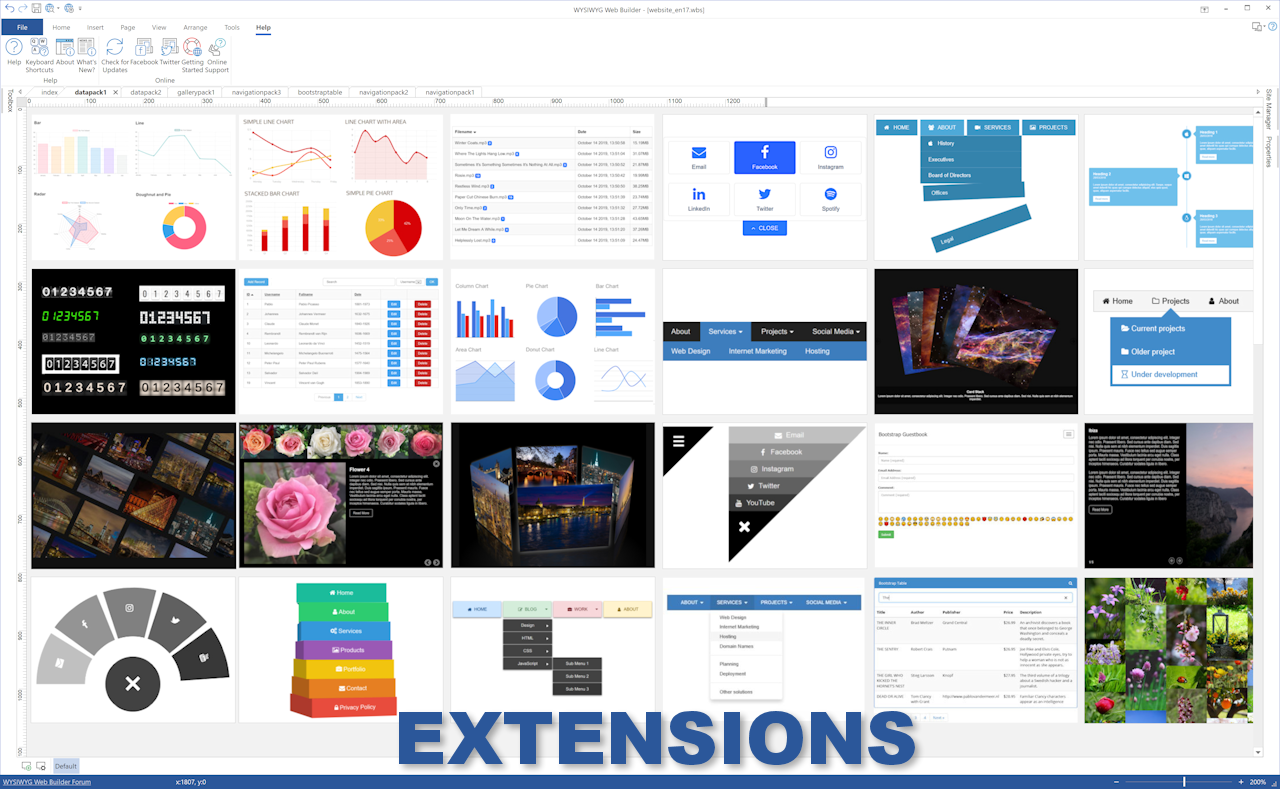
Extensions

Hundreds of extensions to add extra functionality to the software. Including slideshows, navigation, audio/video, webshops, data viewers etc.

One Click Publishing

No external FTP program needed. No special hosting required, use with any Hosting Service!
Supports Secure FTP, FTPS and standard FTP

Drag and Drop

Visually design your website (What-You-See-Is-What-You-Get). Just drag & drop the objects to your web pages. The HTML code will be automatically generated for you!

SEO Tools

Google compatible sitemap and robots.txt generator. The built-in SEO Assistant helps you to make your web pages more search engine friendly.

Password Protect

Multi-user login tools. Sign Up, Password Recovery, Online User Administrator, User Roles etc..

CMS

Built-in (PHP based) Content Management System to allow you or your customers to manage content online. There is also more basic 'Editable Content' functionality available.

Ecommerce

Integrated support for third party ecommerce solutions like PayPal, Ecwid, Stripe, Snipcart, Paddle, Gumroad, WebMoney and Vibracart Pro

Pre-made Blocks

Use pre-made blocks to quickly get started. More than 250 blocks are available!

Forms Tools

Send Emails, Upload Files, Store Data in MySQL or CSV, Auto Responder, Form Validation, Conditons/Calculations

Images & Media

Image filters, shapes, galleries, carousels, lightboxes, rollover animations, YouTube, Vimeo, TikTok, MP4 and audio

Free Demo

You can download a 30 day trial version of WYSIWYG Web Builder for free.
The trial version is fully functional, so you can design and publish your website just like in the full version.

DOWNLOAD NOW

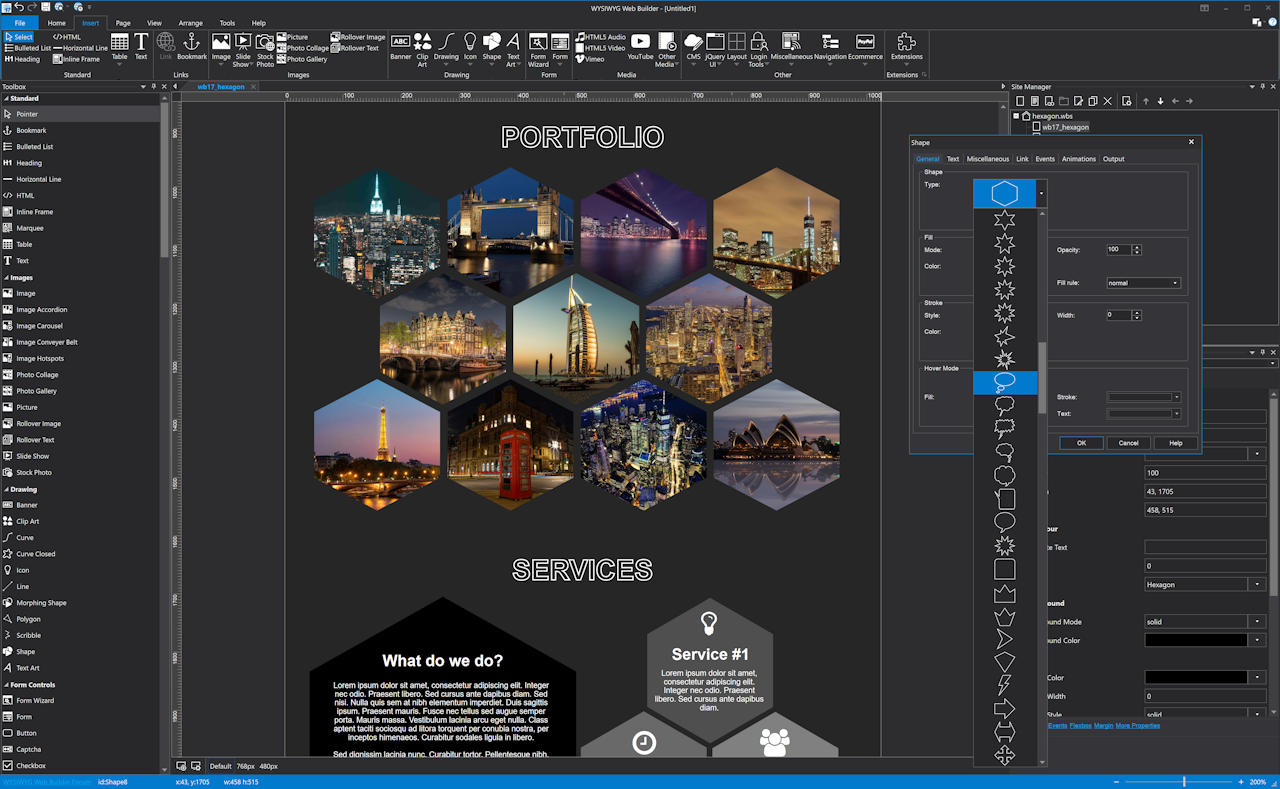
Screenshots

Click to enlarge the images

What's New for 2026?

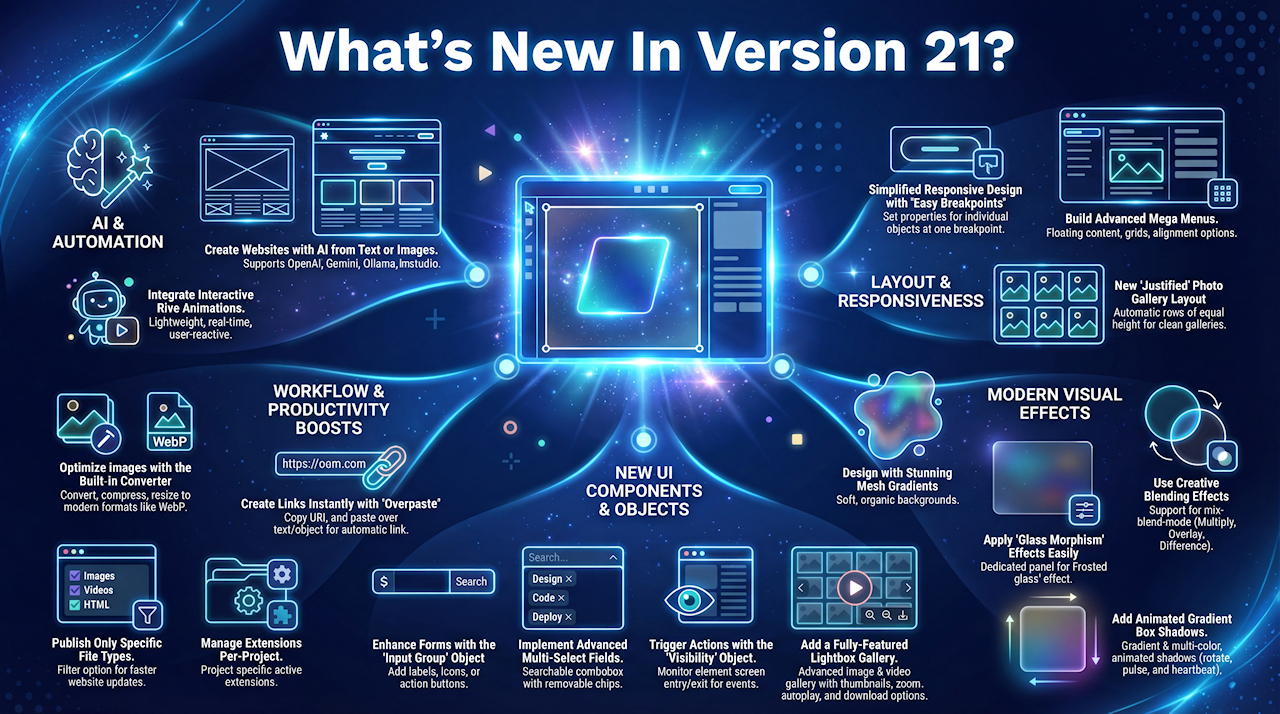
WYSIWYG Web Builder 21 has more than 125 new features and improvements!
Click on the items below to learn more.

Easy Breakpoints

Easy Breakpoints let you make individual elements responsive without creating full-page breakpoints. Easily control visibility, font size, margin, padding, or alignment for a single object using one simplified breakpoint, perfect for quick, maintainable mobile-friendly adjustments.

Text-to-Website / Image-to-Website

Generate a complete website using AI. Simply describe your desired layout, style, and content or upload a reference image and the AI automatically builds a fully structured site based on your instructions.

Lightbox Gallery

Add a fully featured image and video gallery with thumbnails, zoom, autoplay, download, and more. Supports YouTube, Vimeo, and MP4, with thumbnail, justified, or carousel layouts. We've also added a CSS Lightbox (no JavaScript)

Visibility

Visibility monitors an element’s position in the viewport and triggers events when it enters or leaves the screen. Use it to start animations, control media, toggle elements, or apply dynamic styles. It also includes an option to keep elements fixed when scrolling.

Blending effects

Added support for mix-blend-mode, letting objects creatively blend with their background. Easily apply effects like Multiply, Overlay, Difference, or Exclusion to create striking visuals, including cutout or knockout text, for a polished, professional design.

Layer Menu

The Layer Menu now offers enhanced flexibility for building responsive, mobile-friendly mega menus. Add floating and flexible content, use layout grids for multi-column designs, and control mobile behavior with breakpoint options like Accordion, Panel, or Overlay.

Forms

New forms tools: Input Group for adding icons, labels, or buttons inside fields, Select Multi for searchable multi-selection with removable chips, and Bootstrap Tooltip validation for clean error messages that don’t shift your layout and more!

Image Converter

A new wizard to convert or compress project and external images. Change formats (JPG, PNG, WebP), resize dimensions, apply compression, and remove metadata. Preview results before automatically updating project images for optimized performance.

Mesh Gradients

Add soft, multi-color backgrounds that blend organically across an area, beyond simple linear or radial gradients. Perfect for modern hero sections and dynamic website backdrops, they create a smooth, vibrant, and visually engaging design.

Glass Morphism

Adds an easy way to create modern glass-style effects. All related settings—background color, transparency, outline, and backdrop blur are now grouped in one place, making it simple to apply sleek, frosted-glass visuals to any object.

Overpaste Links

Quickly create clickable links by pasting a URL over selected text or objects. The content stays unchanged while the link is applied instantly, no Link dialog needed. If nothing is selected, the URL is inserted as plain text.

Filters

Added dedicated filter and backdrop-filter properties for easier access and control. Previously hidden under transition settings, these effects are now standalone options, making it simpler to apply blur, brightness, and other visual enhancements to your elements.

User Interface

User Interface enhancements improve workflow and flexibility. Use mouse panning to navigate quickly, keep Margin and Padding panels open for faster adjustments, install languages directly from the menu, and manage extensions per project instead of globally and more!

And lots of other improvements!

Box Shadow Gradients, Rive Animations, Scroll Marquee Slideshow, Navigation Image Support, FontAwesome 7, jQuery 4, LM Studio and much more...

Upgrade Discount

Upgrade from an older version of WYSIWYG Web Builder and get a 40% discount (limited time offer)

How to upgrade?

Examples

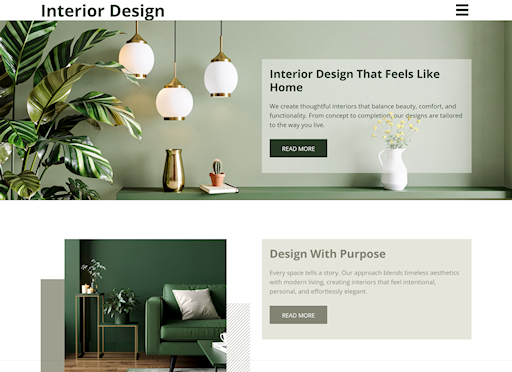
Browse the Templates section to explore a wide range of ready-to-use website designs
Copyright © 2026 WYSIWYG Web Builder.  All Rights Reserved